
iOS · since 2014 · SwiftUI rewrite 2025
Never lose your car again.
Save your parking spot with GPS, walk back with route guidance and a built-in compass, and get a reminder before your meter expires.
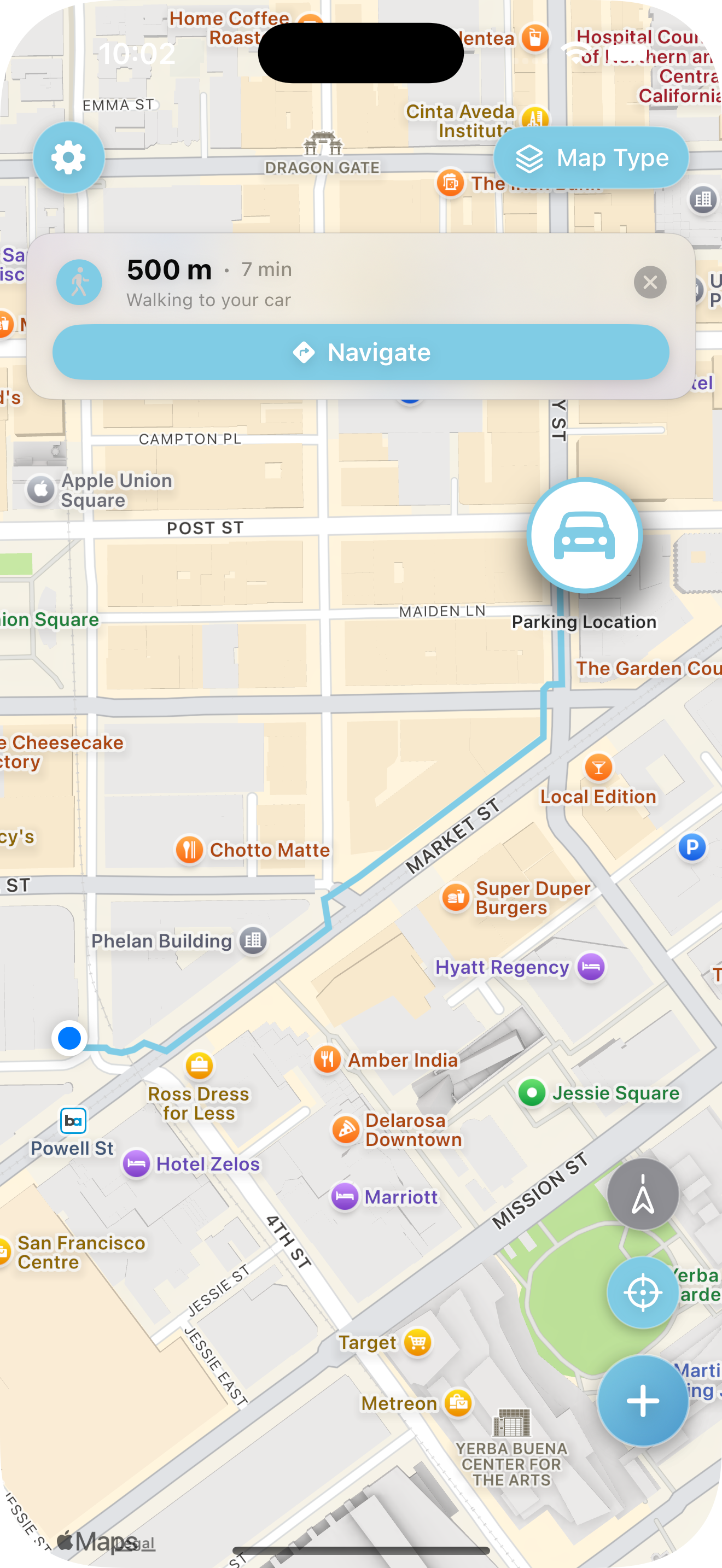
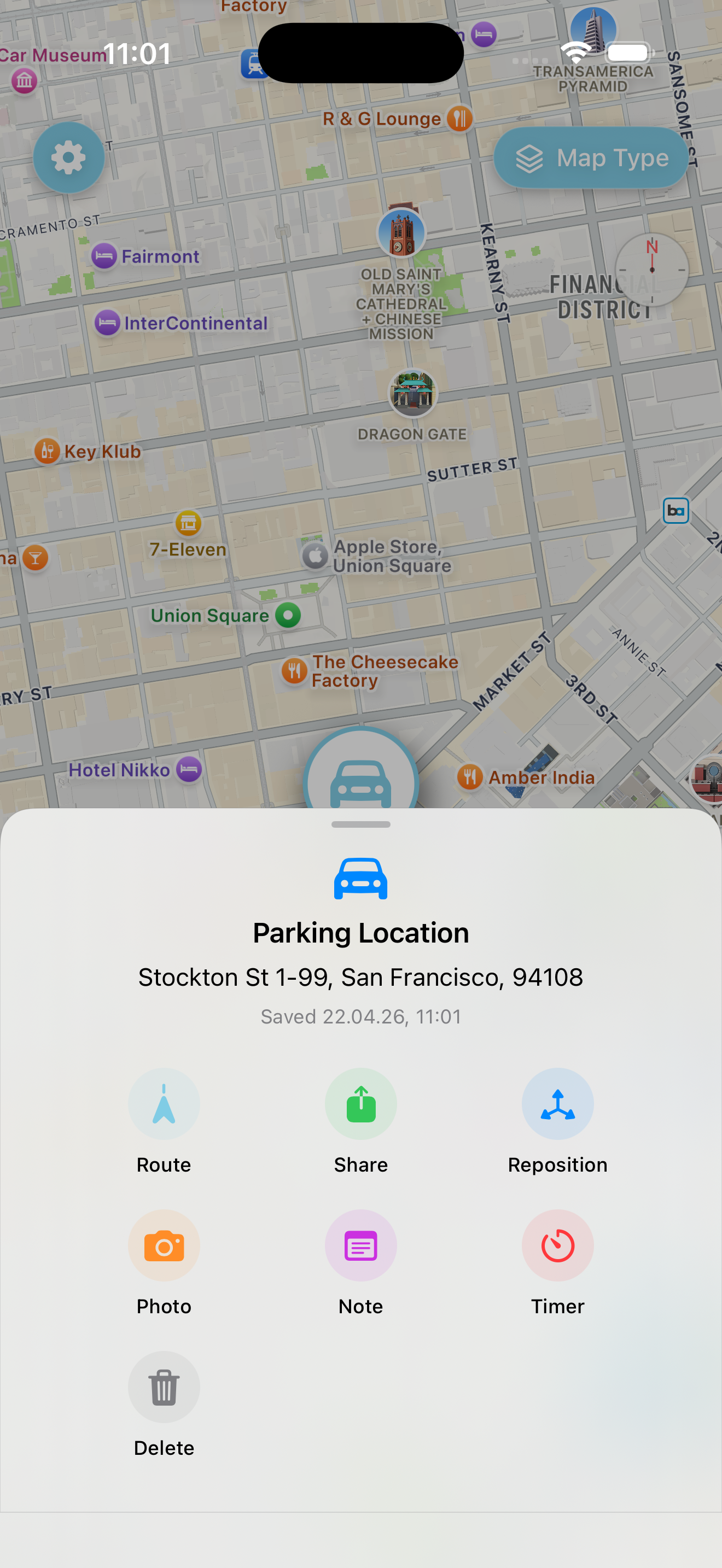
What is Find My Car? Find My Car is a GPS parking locator for iPhone, iPad and Apple Watch — save where you parked with one tap, walk back with route guidance or a built-in compass, set a parking timer, and add photos and notes for multi-storey garages. No account required; data stays on your device. In the App Store since 2014. Read the parking guide · Compare apps
A small, focused app that does one thing well: get you back to your car. No account, no detours, no distractions.
Everything you need.
Built out of the little frustrations of parking. Sharpened feature by feature over more than a decade.
Save parking location
One tap when you get out. GPS remembers exactly where you parked.
Drag & drop pin
If GPS isn’t perfectly accurate, drag the pin to the exact spot. Precision when you need it.
Route guidance
Walking directions and distance via Apple Maps, Google Maps or Navigon.
Built-in compass
A built-in compass points the way when a map app would be overkill. Always the right direction.
Photo reminder
A quick photo of the surroundings. Invaluable in big multi-storey garages.
Parking timer
Set a timer and get a push notification before your meter runs out, even if the app is closed.
Notes & memos
Parking level, zone number, row — anything you don’t want to try to remember.
Share location
Send the parking spot as a link. Perfect for shared cars and group trips.
Spot-Me button
One tap and both you and your car show up on the map. No fiddling, no zooming.
One app. One job. Your car.
Rewritten from the ground up in SwiftUI in 2025, polished down to the smallest tap. Runs natively on iPhone, iPad, Mac, Apple Watch and Apple Vision Pro.
- No account. No tracking pixels.
- Works offline. Data stays on your device.
- Apple Watch complication and iOS widgets.
- In the App Store since 2014.
Questions, answered.
What is Find My Car?
Find My Car is a GPS parking locator for iPhone, iPad and Apple Watch. Save where you parked, walk back with route guidance or a built-in compass, set a parking timer, attach photos and notes, and share the spot — with no account required.
How do I find my parked car with my iPhone?
Open Find My Car when you park and tap save. When you return, tap Route for walking directions via Apple Maps or Google Maps, or use the built-in compass. Drag the pin if GPS is slightly off.
What is the best app to remember where I parked?
For a dedicated parking workflow, Find My Car is built for exactly this: one-tap save, parking timer, photo reminders, Apple Watch complications and widgets. It has been in the App Store since 2014. See our app comparison.
Does Find My Car work on Apple Watch?
Yes. Save and navigate to your parking spot from Apple Watch, with complications and iOS widgets so your spot is always one glance away.
Does Find My Car work offline?
Your saved parking spot and built-in compass work without internet. Turn-by-turn walking directions need a connection to open Apple Maps or Google Maps.
How do I find my car in a parking garage?
Save your spot when you park, then add a photo of the level sign and a note like "P3, row B". Drag the pin to your exact bay. The Spot-Me button centres both you and your car on the map when you return.
What is Auto-Park detection?
A Pro feature that automatically saves your parking location when the app detects you have stopped driving and left the vehicle. Requires "Always" location permission in iOS Settings.
Is Find My Car free?
Find My Car is free to download with core parking features. Find My Car Pro unlocks Auto-Park detection and offline OSM maps via auto-renewing subscription, often with a free trial.
Does Find My Car need an account?
No. There is no sign-up and no cloud account. Your parking data stays on your device.
Is Find My Car better than dropping a pin in Apple Maps?
For parking specifically, yes — Find My Car adds a parking timer with notifications, photo and note reminders, drag-and-drop pin precision, Apple Watch complications and a dedicated compass without opening a maps app.
Find your car. Starting today.
Download Find My Car from the App Store. Install once, never forget a parking spot again.